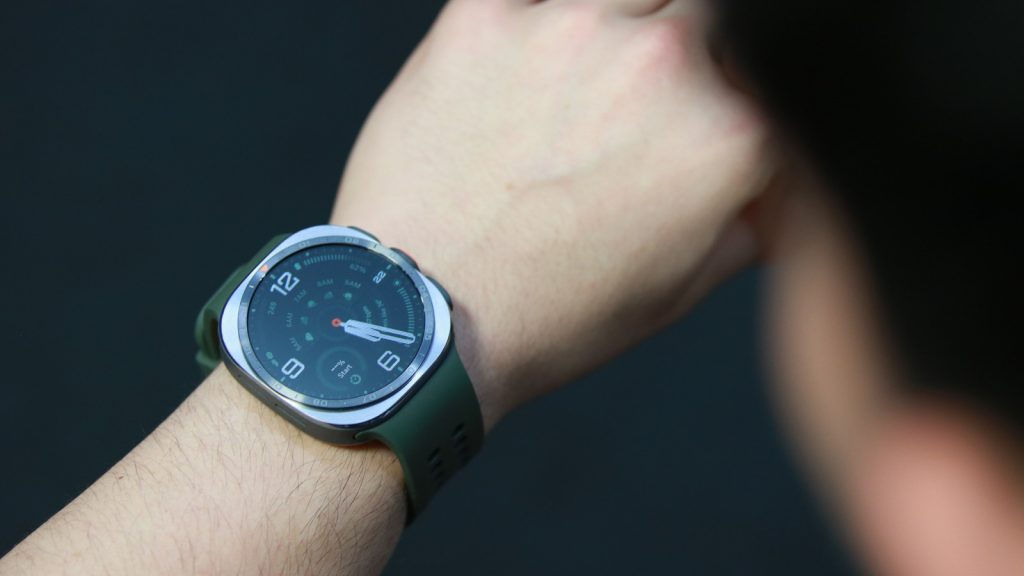
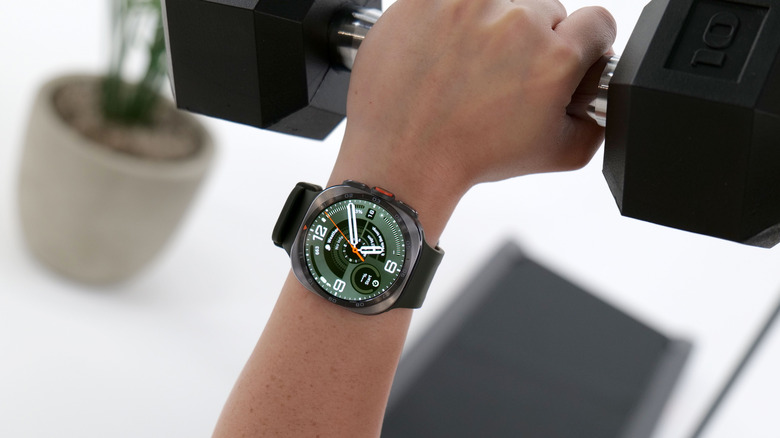
Hardware updates are the most meaningful changes so far.
It's been two years since Samsung launched the Galaxy Watch Ultra, which was heavily reminiscent of the Apple Watch Ultra. In that time, it has really refined the main Galaxy Watch, to the point where our review called last year's model the company's best smartwatch in years. Comprehensive and helpful health features, wrapped in a solid, comfortable package, made for a winning combination.
So it may be time Samsung turned its attention to its beefier, more premium wearable, and it makes sense that the company has unveiled the new Galaxy Watch Ultra 2 today. Like its Apple rival, Samsung's Ultra watch is designed for a more rugged, outdoorsy type of user – the sort of person that would drop $700 on a device that could last for ages, go deep underwater, withstand being smashed against rock walls and more.
The Galaxy Watch Ultra 2 is an intriguing refinement on the original, bringing a more grown up aesthetic, a brighter display, bigger battery and a bunch of software updates. I've had one for about a week, and forced myself to be the sort of outdoorsy person that this is aimed at to see how it holds up. And also to see if it's worth the $50 jump from its predecessor.
First, here's a quick rundown of what's new on the Watch Ultra 2. Among the most notable upgrades are the brighter display, which can now get up to 5,000 nits compared to 3,000 nits before. At 1.52 inches, the new watch's screen is also slightly larger than the original's 1.5-inch panel, though I struggle to notice the difference.
The battery might be the most significant boost this year, with Samsung including an 800mAh cell here compared to the original's 590mAh. That's a 35 percent increase, and I'll get into how that served me in the real world in just a bit.
Elsewhere, Samsung managed to make small but meaningful tweaks. The Ultra 2 is 10.7mm thick, which the company says is 12 percent thinner than its predecessor. The attached band is 1.9mm thick, and though that's just one tiny millimeter thinner than before, it makes the watch a lot more comfortable to wear. It probably also helps that the Ultra 2 is 25 percent lighter to boot.
Samsung also refined the buttons along the edge, making them protrude a little less. The round button in the middle no longer rotates, which is great because while the one on its predecessor did spin, it served no actual function in the software.
The Ultra 2 also comes with a suite of new health-tracking features that Samsung previewed last month, including the Vitals collection of metrics, as well as updated Daily Cardio Load and Heart Health scores. The company added a new dedicated tracking mode called Trail Run, which features details on "elevation, climbing progress and terrain impact." It also is one of the workout modes that offers "hydration guidance," which is an expansion of the Sweat Loss feature Samsung introduced on the Galaxy Watch 5.
Samsung has also made the Ultra 2 more diving-friendly by working with diving equipment maker Mares on features designed to help with safe ascent and descent. This last part will be available later this year via the Diving app that will be exclusive to the Ultra 2.
That did limit what I was able to test during my week with a unit of the Galaxy Watch Ultra 2. And because I was unfortunately sick during my first few days with it, I wasn't physically well enough to go out and do much. What I did end up doing those days was obsessively check my antioxidant levels and repeatedly get told I'm very toxic. Kidding, of course that's not what those readings mean and not what the feature is meant to do. Besides, the antioxidant index feature isn't even new, but it was something relatively recent to test.
I'll quickly note that the antioxidant feature is somewhat flawed, and not something I really understand at the moment. It's basically analyzing reflections of light emitted by the device's LEDs to determine carotenoid concentration in your blood. I guess I need to be better about eating my fruit and vegetables but my readings, both before and after I took my supplements of vitamin B12, vitamin D and iron, were all "Very low" (bad). Even after chugging cold pressed juices the numbers only increased slightly, but never enough to get me from "Very low" to "low" (still bad).
More interestingly, I found that lighter-skinned individuals seemed to yield higher scores by default. My partner is fairer than me and his readings were better, though I know for a fact I have a better diet. I tried placing the sensor on the palest part of his arm and his score shot up a few more points, which made me think the system was better suited to people with fairer complexions. (As with much of the world?)
On those idle days, the Watch Ultra 2 prevented me from being too much of a couch potato by vibrating harshly to prompt me to get up and move every hour or so. As long as I got up and took a few steps, the watch buzzed again to congratulate me. Pretty standard smartwatch stuff. It, of course, ably performed other typical tasks like alerting me to smartphone notifications, keeping tabs on my heart rate and steps and setting alarms and timers. Oh and tell time and look nice, of course.
In fact, the Watch Ultra 2 is a pretty handsome piece of hardware. It's still very similar in appearance to its predecessor, of course, but the way it has etchings in the bezel around its face and the general sharpness of its edges was very pleasing. Most people I showed it to immediately remarked how nice it looked, too.
When I finally got out of the house, the Watch Ultra 2 was pretty helpful, proactively tracking walks once I had been moving for at least 10 minutes. The bright, roomy screen made my data easy to see at a glance, and was particularly useful when my partner and I got quite hopelessly lost after we went off the trodden path during a casual hike.
Thankfully, I had dropped a waypoint and started the compass-based tracking features on the Ultra 2, so we were able to pull up the navigation guidance there and find the right entry point back into the woods. And because the screen was so large, it was easy to see where we were relative to where we needed to be.
That said, I could probably have used a similar feature on my Apple Watch Series 9 to accomplish the same, and it's a lot smaller and more comfortable, too. Even the Apple Watch Ultra 3 is noticeably more compact than Samsung's chonkster, and offers many of the same features.
Where Samsung is unique is some of its health-related offerings. The antioxidant test remains a rarity in the smartwatch category, while the hydration reminders are also uncommon.
Hydration reminders can be a bit confusing, so let me lay out how they work. You have to think of them as workout-specific alerts, like how your watch might buzz you after every mile or every ten-minute segment. To set up the hydration reminders, I had to go into the goal settings of each workout and so far it appears only activities like Trail Run, Hiking, Track Run, Treadmill and Running support this. I didn't see the option available in Bike, Circuit Training, Elliptical or Walking, for instance.
In the workout settings, under "Alerts," you have to turn on the toggle for "Nutrition," then select "Hydration." Here, you will see details saying you can get an alert for "Every 0.5 percent of body weight lost" and "over 2.5 percent loss."
You can also choose to get reminders by distance or time to consume some type of liquid. In other words, you can get the watch to ping you every five miles or every 20 minutes to have either water, a sports drink, energy gel or food. This seems like a highly specific setup that might not appeal to many, but I do think the hydration guidance based on sweat loss is intriguing.
Samsung isn't using any hardware sensor for this feature, by the way. All of it is computed from info the system has on your body composition, meaning you'll have to give Samsung Health your height and weight, among other things.
When I started a treadmill run with the hydration reminders configured, I didn't get any alerts to hydrate despite sweating profusely. My throat was parched, partially from still being a tiny bit ill, and probably from the machine's fan blowing in my face. It wasn't until after my ten-minute mile, when I gave up on the alerts, that I found out I needed to be active for at least 20 minutes and burn 90 calories for the feature to kick in. I'll have to keep testing this in various environments and activities to learn more but for now, I have yet to learn anything my own body can't tell me.
Given its gigantic battery, I was surprised to find on Saturday night that the watch would only show the basic digital clock reserved for dire power levels. To be fair, when I started using the Ultra 2 it was at 76 percent, and it lasted through a few days of intense antioxidant testing and a screening of The Odyssey, which, let's be real, is basically an eternity.
Samsung said the Ultra 2 should run for about 60 hours with the Always On Display enabled, and this generally aligns with my experience. I will certainly need to properly test it and have since fully charged the device. In the three days since, it's dipped to about 65 percent, which is fairly impressive and certainly longer than the Apple Watch Ultra 3.
I'll need more time with the Ultra 2 before I can give it a score and a full review, but for now, it seems like a solid device. I'm not yet sold on whether it's worth its $700 price, but so far I'm certainly swayed by its bright screen, seemingly useful features and good looks.
Source: Engadget — This article was automatically imported from the source. Read full article at original source →

